 FitStreaks
Everything in the app, one section at a time.
What each part does, what is free and what is Pro. Screenshots are from the app itself.
Streak, repairs and vacation
Your streak is the number of days in a row with a check-in, and a rest day is a check-in like any other. Check-in is one tap; you can undo today's if you tapped by mistake.
Every seventh day of a streak earns a streak repair, and you can hold three. After a missed day the app asks whether to use one. You can also get one with coins in the shop. Vacation mode covers up to 30 days: the streak neither breaks nor grows until you are back.

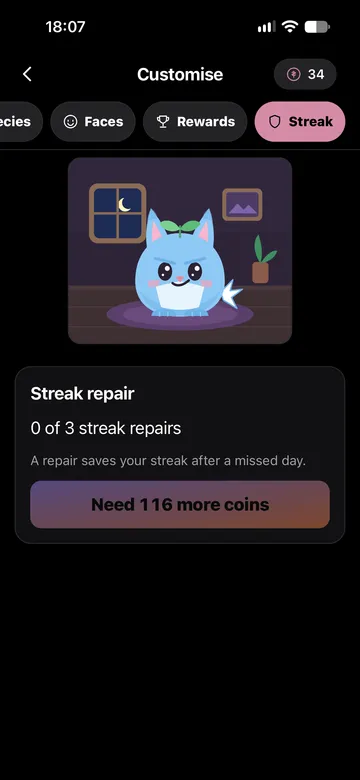
The Streakling, shop and Wardrobe
The Streakling is an optional companion. You hatch it from an egg, name it, and it reacts to what you do. It grows with your level and evolves at 30, 100 and 365 days.
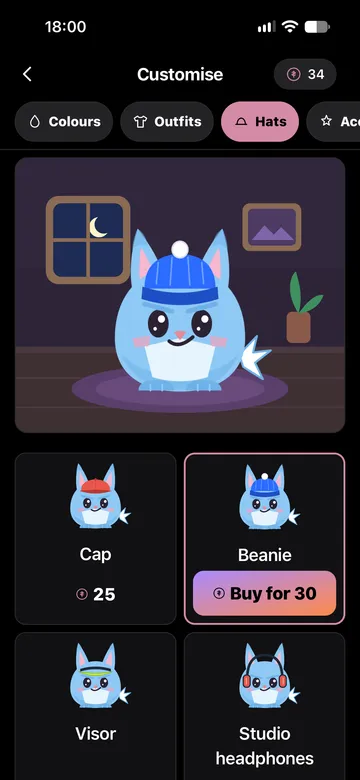
Coins are earned by being active and are never sold. Spend them in the shop on outfits, hats, accessories, rooms and other species; the Wardrobe is where your Streakling wears what you own. Some items are earned at level and streak milestones and cannot be bought at all. Nothing you own is ever taken away.

Training, the plan and the rest timer
Build your week from your own workouts: name them, set the exercises, sets, reps and rest times, and put them on the days you train. All of that is free.
During a workout each exercise shows your sets from last time and a suggestion for the next one. The rest timer counts down to your next set. A Live Activity keeps the workout, the current set and the countdown on your Lock Screen.

The workout generator Pro
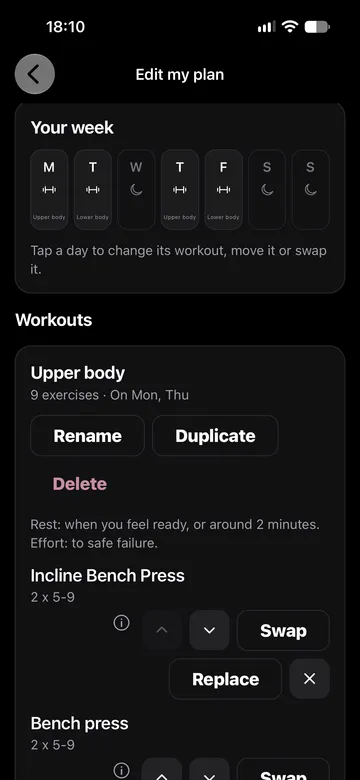
No plan yet? Tell the app how experienced you are, where you train and on how many days. It proposes a full week. Swap any exercise for an alternative that fits the same slot before you save. Afterwards the plan opens in the plan editor like any other, as in the screenshot.
Fuel and macros
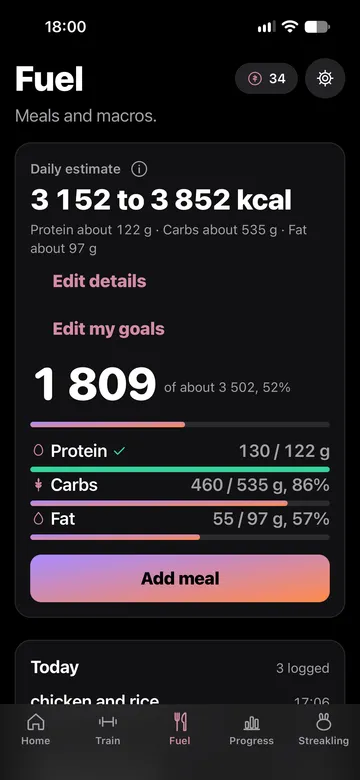
Log what you eat in one list per day and see the protein, carbs and fat add up. Save meals you eat often as presets: 3 in the free version, 15 with Pro.
Pro adds calorie and macro targets, shown as an estimated range or set by you, with bars that fill as you eat and a calories ring on Home. The numbers are estimates, not medical advice.
Progress, statistics and trackers
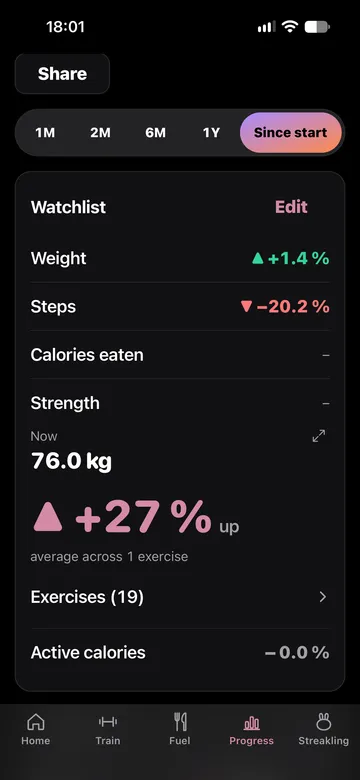
One watchlist for weight, steps, calories eaten, strength and consistency. Every chart is free for the last 2 months; Pro goes further back, to 3 months, 1 year or since you started.
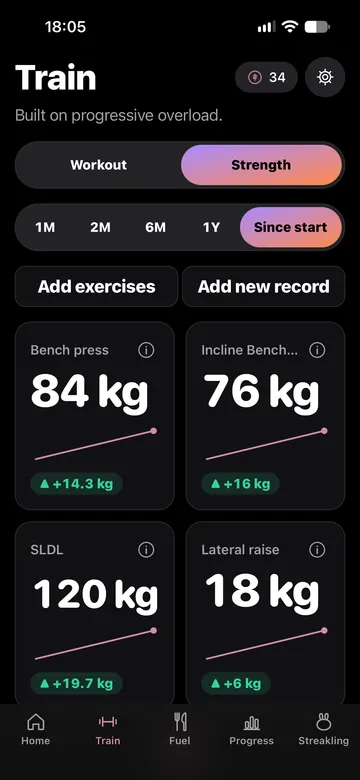
Training statistics show your volume, sets per muscle group and training time. You can also track anything of your own, as a count, a yes or no, a 1 to 5 scale or a number: two trackers are free. Strength tracking is free for 2 exercises of your choice; Pro adds unlimited exercises, the strength average and a Records board for your personal bests.
When you want to show someone, the share card puts the numbers you choose into one image, made on your iPhone.
Widgets and the Live Activity
Your streak stays in view without opening the app. The widgets switch to "at risk" at midnight by themselves, so a glance is enough.
iOS asks once whether FitStreaks may show Live Activities.
- Streak widget.Small, for the Home Screen: the flame, the day count and today's state. Free.
- Streakling widget.Your companion in its mood, small or medium. Free.
- Three Lock Screen widgets.Circular, rectangular and inline. Free.
- Rings widget.Today's workout, steps and calories eaten. Part of Pro.
- Live Activity.During a workout, on the Lock Screen and in the Dynamic Island: the workout, the current exercise and set, and a large countdown while you rest. It closes with the workout's summary.
Apple Watch
The watch app keeps your streak on your wrist: your flame, your day count and the check-in. It needs watchOS 10 or later.
Heart rate, HRV, sleep and the other measurements are read from Apple Health for you to look at. They are numbers and trends only, for information and not medical advice, and they are never stored or sent anywhere.
- Check in from your wrist.A workout or a rest day, one tap each.
- A rest timer of its own.It counts down to your next set on the watch.
- Your streak on the watch face.A complication shows it at a glance.
- Screens you choose.Activity, heart rate, sleep and your weekly goal, in the order you set on the iPhone.
iCloud backup
Backup is optional and free. Switch it on and the app keeps a copy of what you have entered in your own iCloud, so a new iPhone or a reinstall does not lose it. We cannot see it. Apple Health data is never part of it, because the app never stores that in the first place.
On a fresh install the app looks for a backup and offers to restore it. You can also export everything to a file, or delete all your data, from Settings at any time.
Privacy
There are no accounts, no ads and no tracking, and the app has no analytics, crash reporting or session recording. What you log stays on your iPhone. Apple Health is read live, held in memory and never stored.
The only data that leaves your device, apart from the optional backup to your own iCloud and the exchange with your own Apple Watch, is the purchase information Apple and our subscription provider need if you subscribe. The Privacy Policy says exactly what and why.
Easier to try than to read about.

